iPhone and Android · free, and free of ads
Punch in. Punch out. Then bill for it.
A time tracker for people who bill by the hour and would rather not think about time tracking. Tap a project to start, tap it again to stop, and at the end of the month you have a log you could hand to a client — or an invoice you built from it without leaving the app.
No subscription. No ads. No account unless you want your data on a second device.
- Taps to start tracking
- One
- Cost
- Nothing
- Works offline
- Entirely
- Languages
- Eleven
A session is one of three things
Running, logged, or corrected by hand. That is the whole vocabulary, and it is why a month of tracking reads as a record rather than a pile of numbers.
Northwind — API integration
- Punched in
- 09:12
- Rate
- Per project
- Running
- 1h 48m
Kestrel — content migration
- Date
- Tue 14 Apr
- In / out
- 13:00 → 16:40
- Tracked
- 3h 40m
Alder & Finch — brand work
- Started late
- Punch Earlier
- Corrected to
- 09:35
- Recovered
- 45m
How it works
-
Make a project
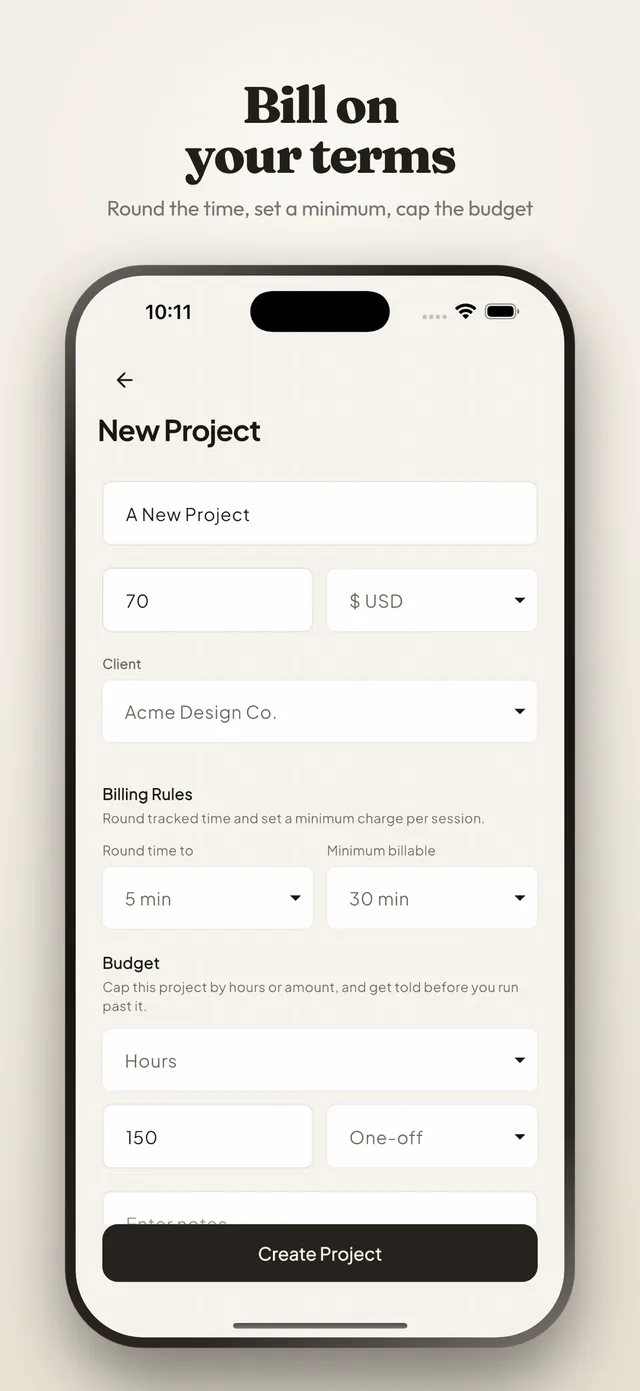
A name, an hourly rate and a currency — 159 of them to pick from. One project per client, or per piece of work if a client gives you several.
-
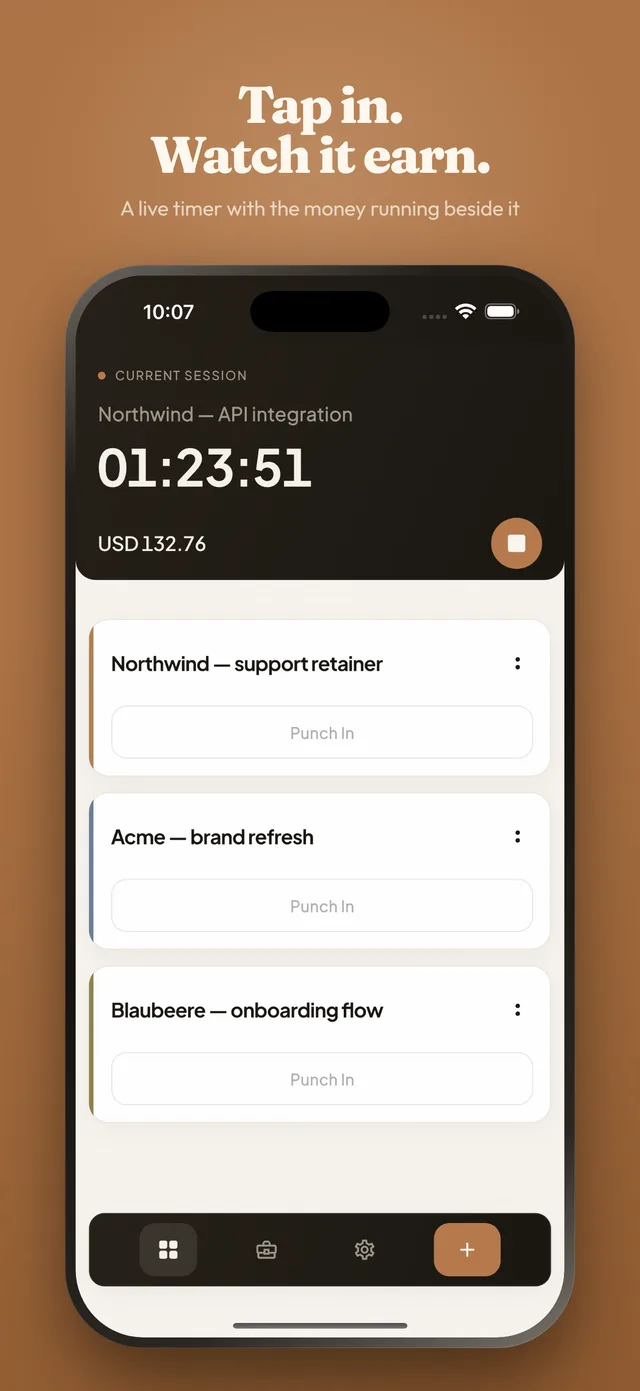
Tap it to punch in
The clock starts on that project. Punching into a second one stops the first at the same second, so two timers can never quietly overlap.
-
Tap it again to punch out
The session is written down with its date, its start, its end and its duration. Add a line of notes while you still remember what it was for.
It counts for you
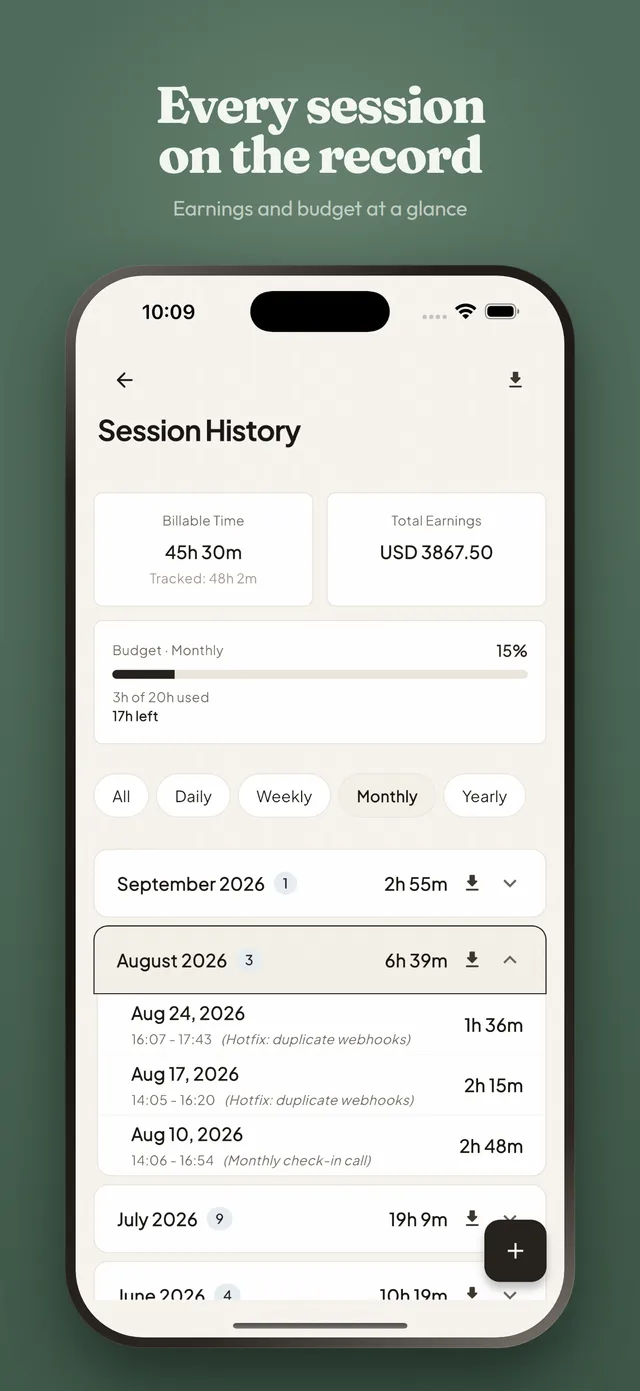
Every project carries an hourly rate and a currency, so the summary screen can show both the time and what it is worth. Pick the period you care about and the sessions group themselves into it.
- Totals by day, week, month or year — or all of it at once.
- Weeks start on Monday, Sunday or whatever your device says, because that argument is regional.
- One hourly rate and one currency per project, from a list of 159.
- Time and earnings totalled for the period you are looking at.
And it lets you fix things
Tracking that cannot be corrected gets abandoned the first time you forget. Every session can be edited, and a session you never started can be added afterwards.
- Punch Earlier starts a session at a time you choose.
- Add a whole session by hand: date, start, end, title and notes.
- Swipe a session to edit it or to delete it.
- Drag projects into the order you want them in.
And now it bills for them
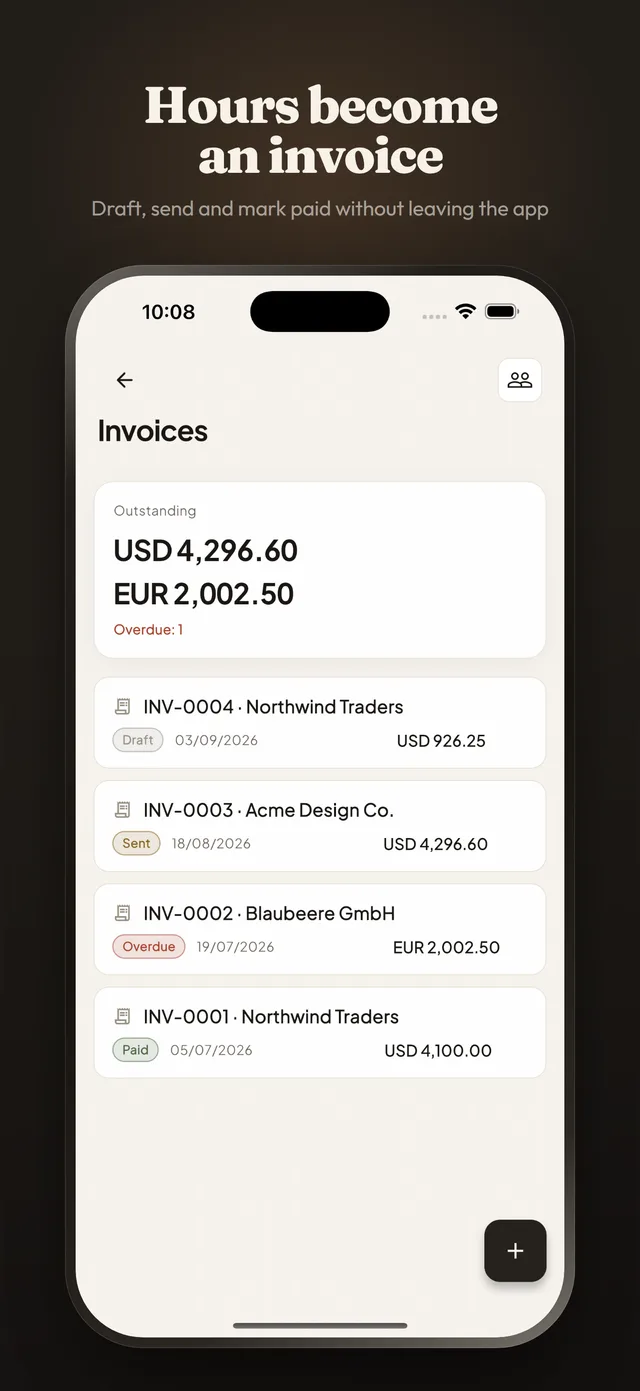
The hours were always the hard part, and the app already had them. What it does now is the obvious next thing: pick a client and a date range, and the tracked work becomes an invoice you can send.
-
Clients, not just labels
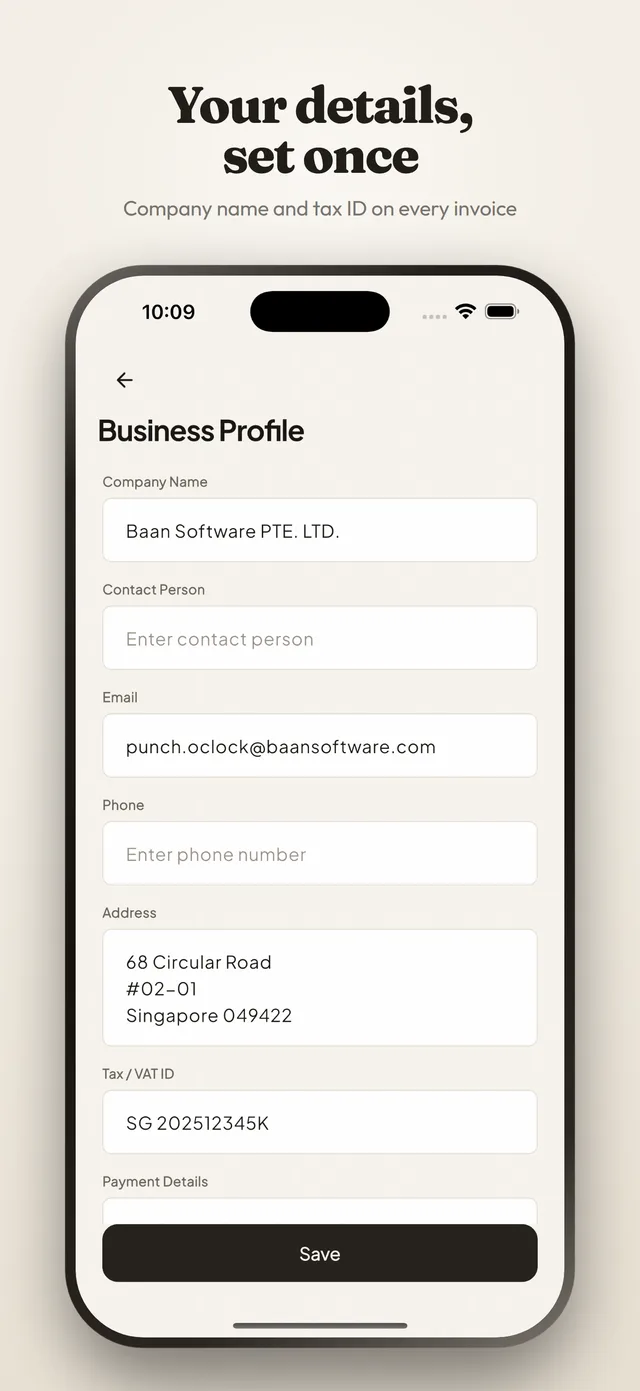
A client is a record with an address, tax details, a default rate and a currency, and as many projects billed to it as you like.
-
A range becomes an invoice
Choose the client and the period. The sessions come across grouped by project, by day or by session, rounded by the same billing rules that governed them.
-
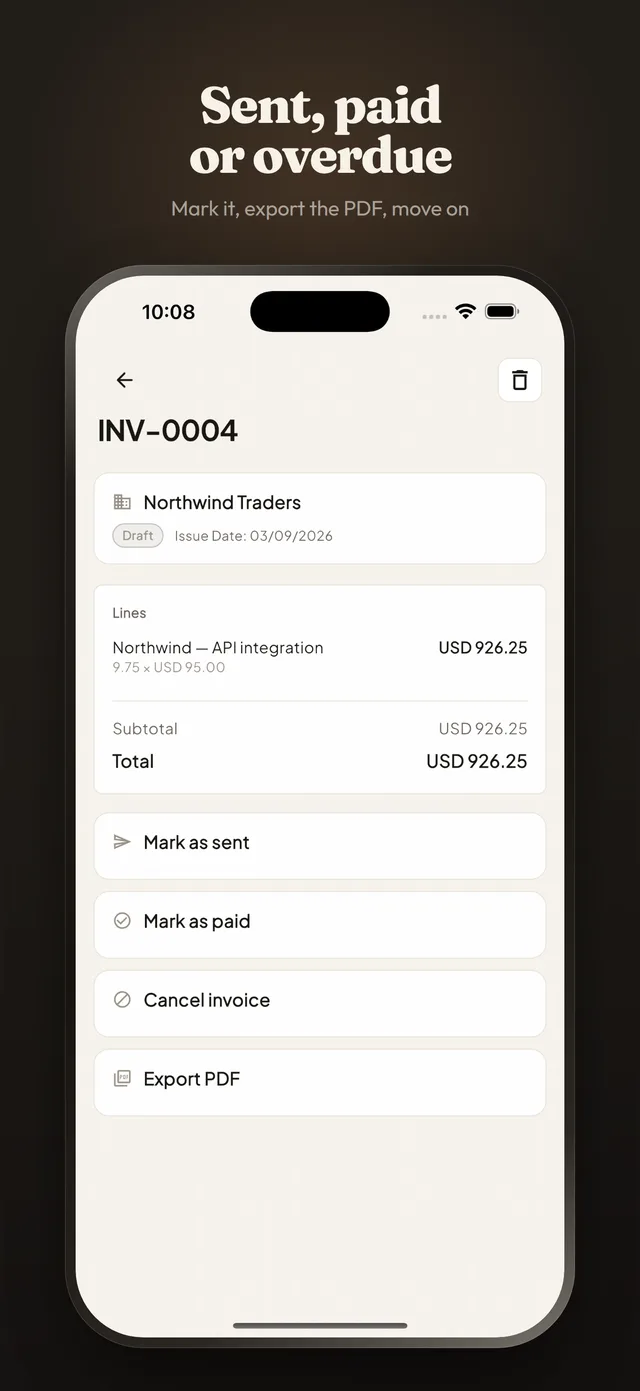
Draft, sent, paid
Follow each invoice through its life, see what is still outstanding, and get told which ones have gone past their due date.
It shows you where the time went
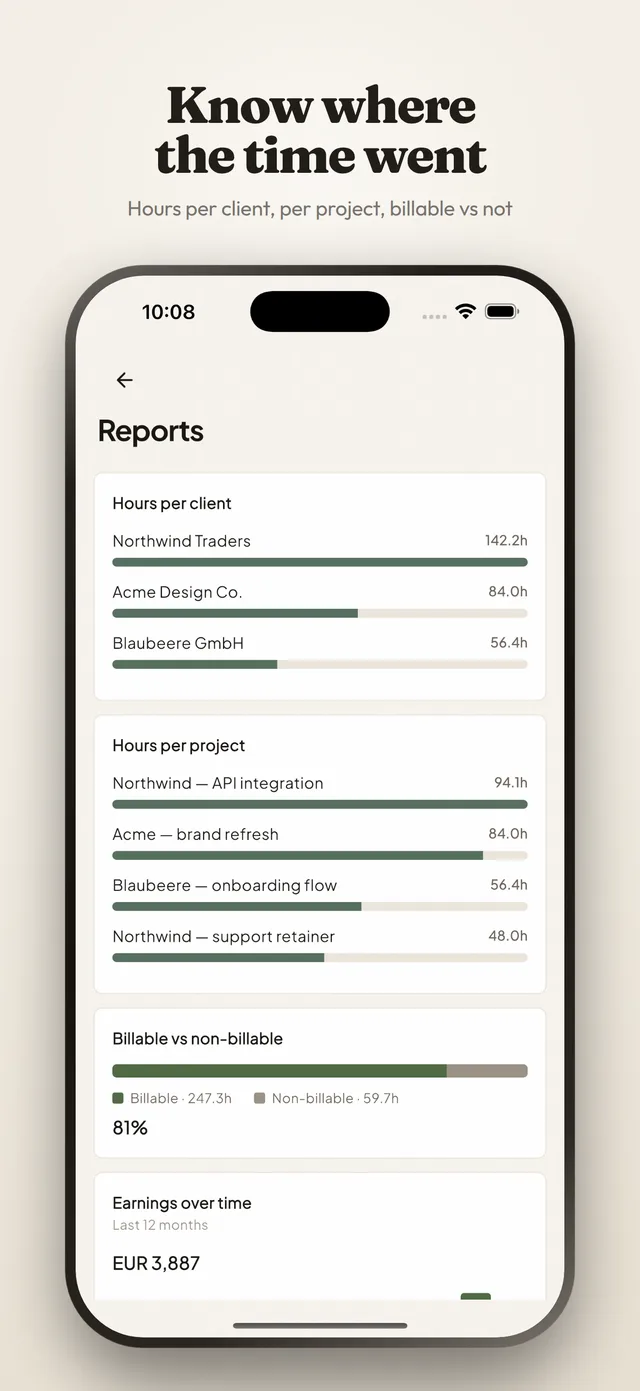
A month of sessions is data whether or not you look at it. Reports are the part that answers the questions you actually ask yourself at the end of one.
- Hours per client and per project, ranked so the big ones are obvious.
- Billable against non-billable, as a share of everything you tracked.
- Earnings over the last twelve months, per currency.
- A heatmap of the hours you actually work, rather than the ones you meant to.
And tells you before you overrun
A budget is the difference between finding out you went over and being warned that you are about to. Cap a project by hours or by amount, one-off or every month.
- Cap by hours or by amount, whichever is how the work was sold.
- One-off for a fixed piece of work, monthly for a retainer.
- A bar on the project that fills as the work does.
- A warning at 80 percent, while there is still something you can do about it.
Built to be closed again
-
One tap in, one tap out
Punching in on a project is a single tap from the list. Punching into a second project stops the first, so two clocks are never running at once.
-
A timer you can see
On iPhone a running session shows on the Lock Screen and in the Dynamic Island. On both platforms it can sit in the notification shade instead.
-
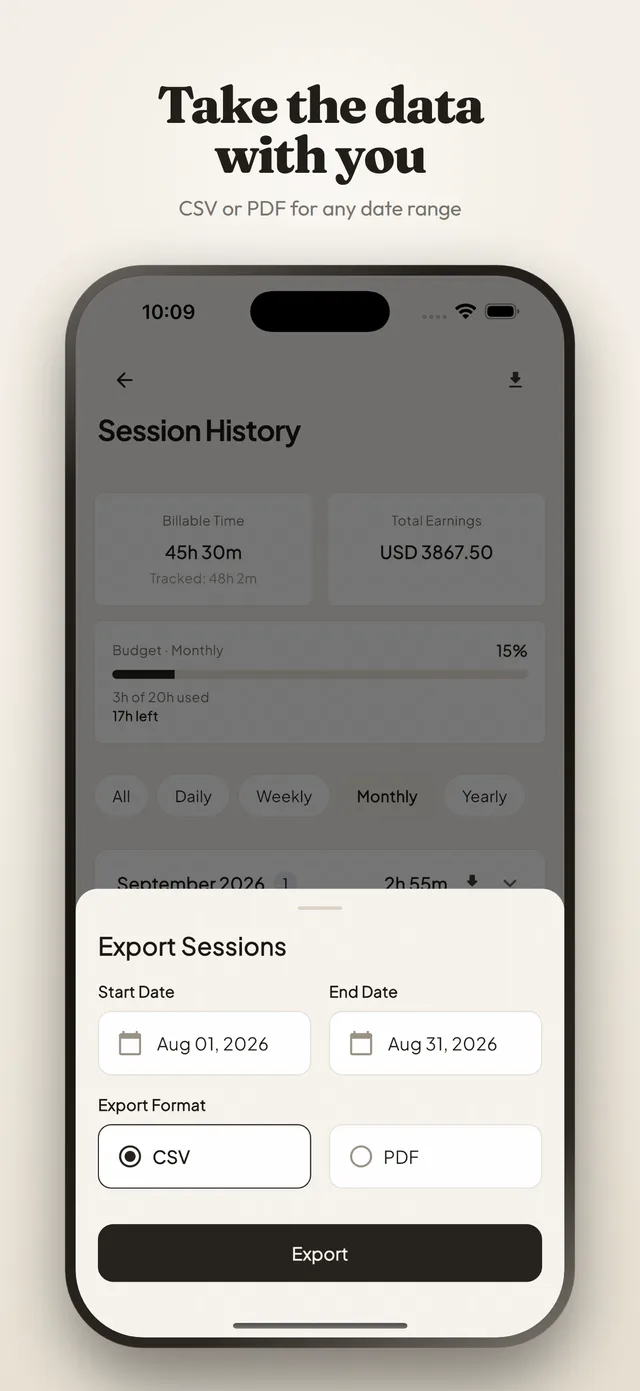
CSV and PDF exports
Pick a date range and get one row per session — date, start, end, duration, title, notes — or a PDF with the totals on it, saved wherever you want it.
-
Hours and earnings
Each project has its own hourly rate and currency, and the summary totals both the time and what it comes to for the period you are viewing.
-
Sync is optional
The app writes to your phone first and always. Sign in with Apple or Google and turn sync on only if you want the same data on another device.
-
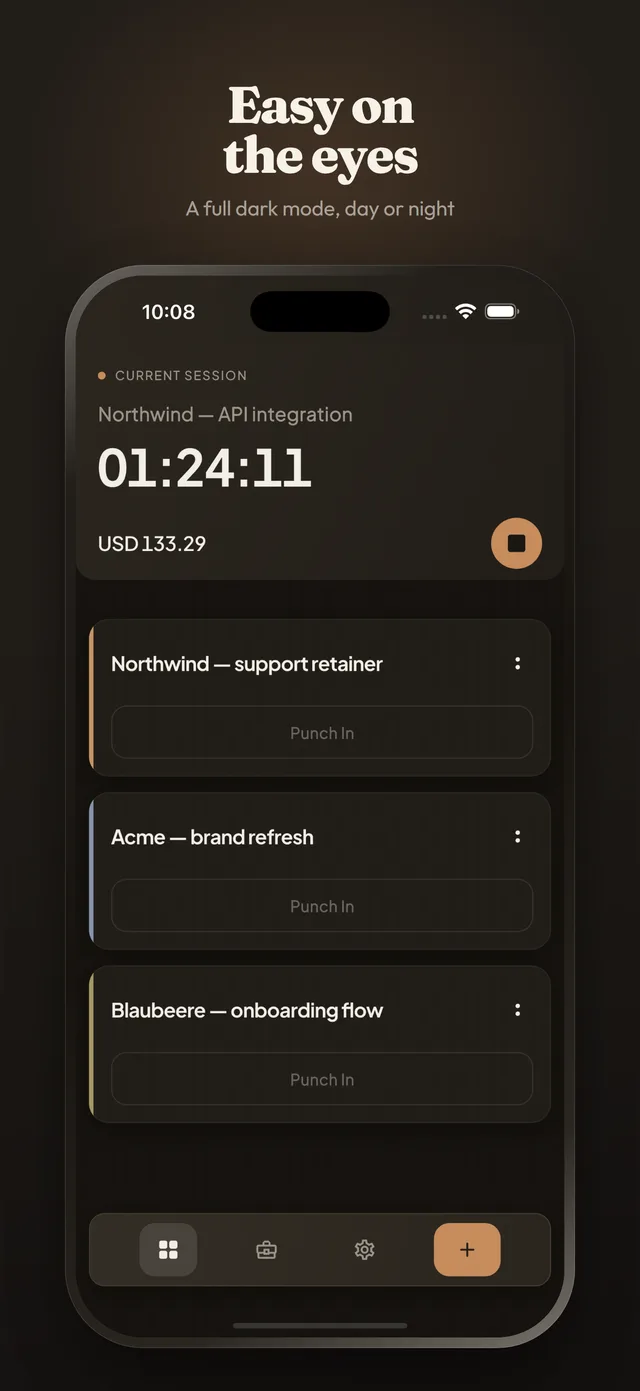
Four themes, light and dark
Warm, Glassy, Material or Minimal, each in light, dark or whatever the system is doing. Keep Screen On for when you want the timer in front of you.
The questions that come with billing by the hour
Straight answers on rates, rounding, what counts as billable and how to prove an hour happened. Written out here, and made easier by tracking as you go.
- Tracking How do you track billable hours?
- Billing What is the difference between billable and non-billable hours?
- Billing How do you set a freelance hourly rate?
- Billing How many hours a day can a freelancer actually bill?
- Billing Should you charge hourly or a fixed price?
- Billing Should you bill a client for breaks?
What it costs
Nothing. Not the tracking, not the reports, not the invoicing. There is no paid tier, no subscription, no trial that ends and no feature waiting behind a purchase you have not made yet.
The whole app
Free
Projects, rates, billing rules, budgets, reports, clients, invoices, expenses, exports, sync, reminders and backup. All of it, for nothing.
In-app purchases
None
Nothing to unlock, nothing to subscribe to, and nothing to restore on a new phone.
Ads and trackers
None
No advertising, no analytics SDK and no third-party tracking in the app.
Questions
Is Punch O'Clock free?
Yes, all of it. Projects, rates, billing rules, budgets, reports, clients, invoices, expenses, CSV and PDF export, sync, reminders, backup and import — every feature is available to everyone. There are no in-app purchases, no subscription, no trial that ends, no ads and no trackers.
Do I need an account to use it?
No. The app works fully with no sign-in at all, and everything you track is stored on your own device. Signing in with Apple or Google exists for one reason: cloud sync, so your projects and sessions reach your other devices. Sync is off by default.
Does it work without an internet connection?
Yes. Punching in and out, adding and editing sessions, totals and exports all work with no connection, because the app writes to your device first and only then talks to the network. If you have sync switched on, the changes go up the next time there is a connection.
How do I start tracking time?
Create a project, give it an hourly rate and a currency, then tap it to punch in. Tap it again to punch out. That is the entire loop, and there is nothing else you have to do for the hours to be counted.
What if I forgot to punch in?
Use Punch Earlier. Open the project and tap the big punch button: it flips over to offer Punch Now and Punch Earlier, and Punch Earlier lets you set the time the work actually started. You can also add a whole session by hand afterwards, and edit the date, start, end, title and notes of any session you have already recorded.
Can I export my hours?
Yes. Pick a date range and export it as CSV or PDF. The CSV has one row per session with Date, Start Time, End Time, Duration, Title and Notes. The PDF has the same table plus the project name, the range, total hours and total earnings. You choose where the file goes, so it can land straight in the folder you invoice from.
Does it work out what I have earned?
Yes. Every project carries an hourly rate and a currency — there are 159 to pick from — and the summary screen totals both your time and your earnings for whichever period you are looking at.
Can I track several clients at once?
You can keep as many projects as you like, one per client or per piece of work, and reorder them by dragging so the ones you are on sit at the top. Only one session runs at a time: punching in on a second project stops the first, which is what stops two clocks quietly overlapping.
Can I see the timer without opening the app?
On iPhone, switch on Live Activity and a running session shows on the Lock Screen and in the Dynamic Island with the project name and a timer that counts itself up. On both iPhone and Android, the Active Session Notification puts the same reminder in the notification shade.
Is anything about me sold or analysed?
No. There are no ads, no analytics SDK and no third-party trackers in the app. If you never turn sync on, nothing you track leaves your phone at all.
Can it round my time for billing?
Yes. Each project can round tracked time to the nearest 5, 10, 15 or 30 minutes and set a minimum billable increment, so a two-minute call bills the way you actually charge for it. Rounding is per project, off by default, and a session can be marked non-billable so it counts towards your hours but not your earnings.
What happens if I forget to punch out?
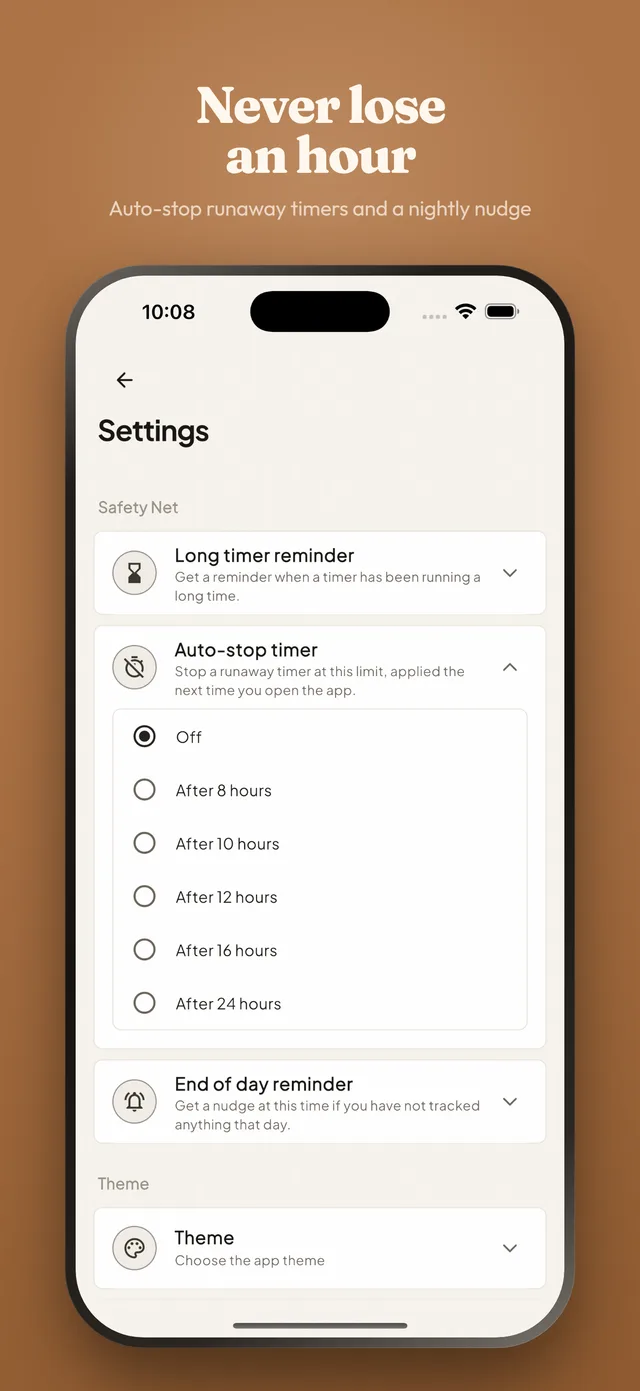
You can set a safety net. A reminder can tell you a timer has been running for hours, an auto-stop can close a runaway timer at a limit you choose the next time you open the app, and an end-of-day nudge can tell you when a day has gone by with nothing tracked. All three are off until you turn them on.
Can I move my data from Toggl, Clockify or Harvest?
Yes. Import a CSV export from any of the three and the app creates the projects it names and adds the sessions to them, matching projects you already have by name. Existing projects and sessions are kept.
Can I back up my data?
Yes. Export a single backup file holding your projects, sessions and settings, and restore it on another device. Restoring merges rather than replaces, so nothing already on the phone is lost.
Does it make invoices?
Yes. Clients are real records with their own address and tax details, and a date range of tracked work becomes an invoice you can group by project, by day or by session, with tax, discounts and expenses on top, exported as a PDF that looks like an invoice rather than a timesheet. You then follow it from draft to sent to paid, and the list shows what is outstanding and what has gone past its due date.
If my hourly rate changes, what happens to work I already tracked?
Nothing. Each session records the rate that was in force when you tracked it, so raising your rate changes what you earn from here on and leaves past work — and any invoice built from it — exactly as it was.
Can I see where my time actually goes?
Yes. Reports show hours per client and per project, billable against non-billable as a share of everything you tracked, earnings over the last twelve months, and a heatmap of the hours you actually work. All of it is built from the sessions already on your phone, so it needs no account and no connection.
Can I stop a project running over budget?
You can be warned before it does. Cap a project by hours or by amount, one-off for a fixed piece of work or monthly for a retainer, and the project carries a bar that fills as the work does. At 80 percent the app tells you, which is while there is still something you can do about it.
Do I have to invoice from the app?
No. Everything that was there before is still there: pick a date range and export it as CSV or PDF and invoice however you always have. Invoicing is an addition, not a replacement, and nothing about tracking changes if you never open it.
Stop reconstructing your week.
One tap when the work starts, one when it stops, and the invoice at the end of the month writes itself out of what actually happened.
Free. No subscription, no ads, and no account unless you want sync.